How to Use a Pink Floral Wreath Illustration to Elevate Your Projects
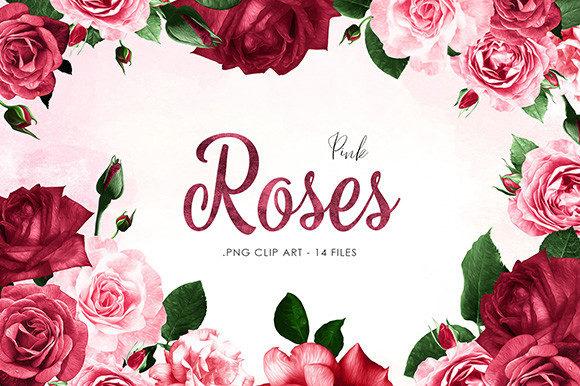
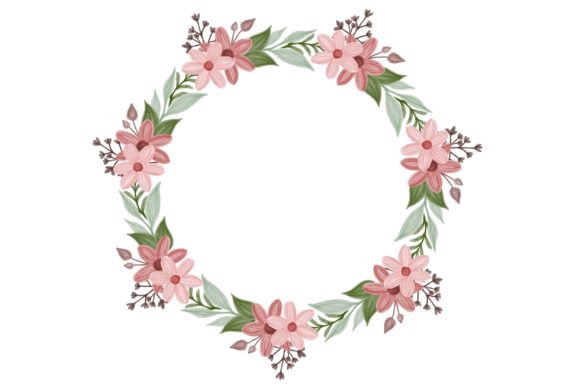
A beautifully crafted Illustration of Pink Floral Wreath, rendered in the soft strokes of watercolor style, isn't just a piece of digital art. It's a versatile design asset that can breathe life into a multitude of creative and commercial projects. For designers, small business owners, and hobbyists alike, such an illustration offers an accessible shortcut to professional-grade aesthetics. However, to leverage its full potential, one must approach it thoughtfully. A common oversight is treating all digital illustrations as interchangeable, leading to disappointing results in quality, application, and ultimately, project success.
The Allure of Watercolor Florals and Their Practical Power
Why does this specific style captivate so many? The watercolor floral arrangement carries a timeless charm—soft, organic, and inherently elegant. It communicates warmth, creativity, and a touch of the handmade, qualities that resonate deeply in personal projects like invitations and cards, as well as in commercial goods like fabric patterns or custom mugs. The Illustration of Pink Floral Wreath, with its cohesive circular design, is particularly powerful as a focal point. It provides a ready-made centerpiece that can anchor a design without requiring complex layout skills from the user.
Common Missteps When Selecting and Using Digital Illustrations
Many enthusiastic creators download a file like this and immediately jump into applying it. This haste often overlooks critical details that dictate usability.
Ignoring the File Formats and Their Purposes: Receiving an illustration in .EPS 10, .JPG, and .PNG formats is not a redundancy; it’s a toolkit. Using the wrong format is a frequent, costly mistake. For instance, using the .JPG for a printed t-shirt design can result in a pixelated, low-quality print because JPGs are often raster images with fixed resolution. The .EPS file, being a vector format, is infinitely scalable without loss of quality—essential for large format printing like wallpapers or for editing individual floral elements. A better approach is to always check your project’s requirements: use .EPS for professional printing and editing, .PNG for web graphics with transparent backgrounds (like adding the wreath to a website header), and high-resolution .JPG for quick, simple placements in digital documents.
Overlooking Color Mode and Background Details: Another subtle error is not verifying the color profile or background transparency. If your wreath illustration is intended for a physical product like a mug, and the file is in RGB color mode (ideal for screens), it may not translate accurately when converted for CMYK printing, potentially dulling the vibrant pinks. Always confirm the color space. Furthermore, assuming the background is white when it isn't can ruin a layout. The included .PNG should have a transparent background, but check it in your software before proceeding to avoid an unsightly white box around your delicate wreath on a colored card.
Beyond Decoration: Strategic Application for Maximum Impact
The Illustration of Pink Floral Wreath is more than wallpaper. Its strategic use defines project quality.
Misapplication Across Different Mediums: A single illustration cannot be force-fit everywhere without adjustment. Using the exact same size and color density for a website banner and a tiny wedding invitation detail will fail. On the web, boldness and clarity are key; for an invitation, subtlety and refinement matter. A practical correction is to tailor the asset for each use. For the web, perhaps increase contrast slightly. For a delicate card, consider using the .EPS file to isolate a single flower from the wreath for a smaller accent, maintaining visual consistency without overwhelming the design.
Negating Licensing and Usage Rights: A critical, often overlooked step is confirming the license. Using this illustration for commercial products like selling printed tees requires clear understanding. Many assume “personal use” covers a small business, but it typically doesn't. Before any commercial application, verify the license terms. This due diligence prevents legal complications and protects your business reputation.
How to Evaluate and Prepare Before You Begin
A simple pre-use checklist can transform your experience from frustrating to fluid.
- Audit Your Project Needs: List the final outputs—print, web, merchandise. This dictates your primary file format choice.
- Test Scalability: Open the .EPS vector file in your design software (like Adobe Illustrator or free alternatives like Inkscape) and scale it dramatically. Does it remain crisp? This confirms its utility for large projects.
- Check Composition Compatibility: Does the wreath’s style and color palette harmonize with your existing brand colors or event theme? Don’t just add it; integrate it. Perhaps the pinks need slight adjustment to match your palette, which is possible with the vector file.
- Plan for Adaptability: The true value of a versatile illustration lies in adaptation. Could parts of the wreath be used separately? Could the watercolor texture serve as a background pattern? Thinking modularly unlocks more value from a single asset.
Turning a Beautiful Asset into Professional Results
Ultimately, the goal is to make the Illustration of Pink Floral Wreath work for you, not just with you. Avoid the temptation to use it as a static, slapped-on graphic. Instead, engage with its layers. Use the vector format to recolor elements for a seasonal variation. Use the transparency of the PNG to layer it over textured backgrounds for a more sophisticated digital wallpaper. By respecting the technical specifics—the formats, the color, the license—and applying the illustration with intentional design strategy, you elevate your project from amateurish to authoritative. This approach ensures your invitation feels uniquely crafted, your website looks professionally designed, and your merchandise stands out in the market, all powered by the same, thoughtfully utilized watercolor floral wreath.