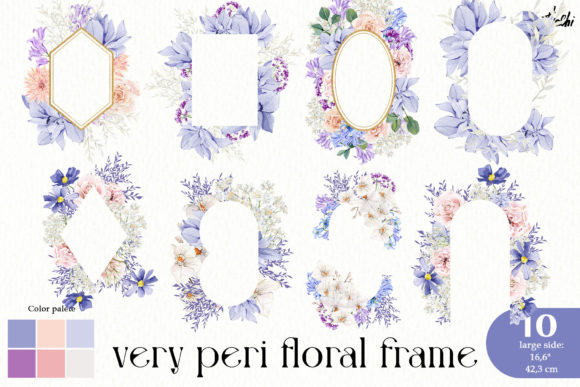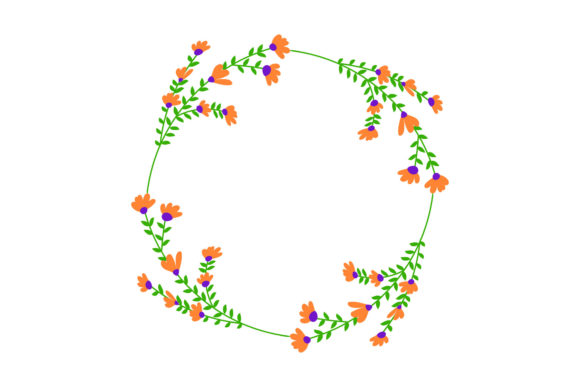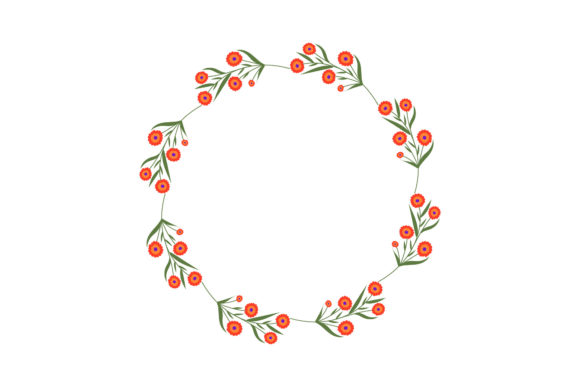
The Botany Floral Frame Design: Your Gateway to Creative Projects
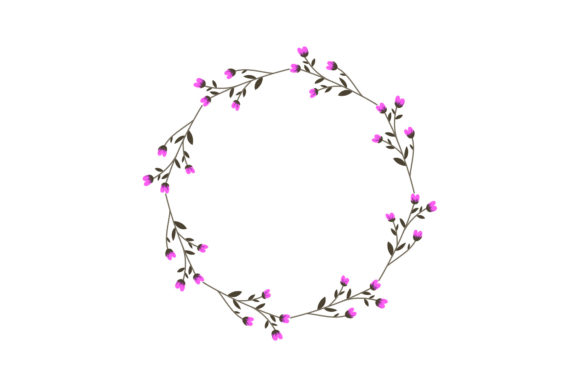
In the world of digital design assets, finding a versatile and high-quality element can transform your creative workflow. The Botany Floral Frame is precisely such an asset. It’s a meticulously crafted design, typically featuring an elegant arrangement of botanical illustrations—like leaves, stems, and blossoms—forming a beautiful border or frame. This aesthetic is perfect for evoking nature, growth, and organic beauty in your projects. Its appeal spans a wide audience, from hobbyists looking to personalize a tote bag to entrepreneurs needing a cohesive brand element for their eco-friendly product line.
Many people are drawn to designs like the Botany Floral Frame because they offer a shortcut to professional-looking aesthetics without requiring advanced illustration skills. However, the journey from downloading a file to successfully applying it to your shirt, poster, or sticker isn't always straightforward. Common oversights can lead to frustration, wasted money, and subpar final products. By understanding these potential pitfalls beforehand, you can ensure your creative process is smooth and your results are impressive.
Not Verifying File Formats and Their True Uses
A major, yet frequent, misunderstanding revolves around the included file formats. When you receive a package containing an AI file, SVG, PNG, JPG, and EPS, it’s easy to assume they are all interchangeable. This is a critical error. Each format serves a distinct purpose, and using the wrong one can severely affect your project's quality and usability.
For instance, using the provided JPG file for a print project like a shirt or poster might seem convenient, but JPGs are often compressed and lack a transparent background. This could result in a white box around your floral frame on a dark t-shirt, ruining the intended effect. Similarly, trying to edit the JPG in a vector-based software like Illustrator will limit your ability to resize or change colors without losing quality.
The better approach is to match the format to your tool and end use. Use the SVG or AI file if you need to edit, resize infinitely, or change colors within vector editing software. These are ideal for professional apparel decoration or scalable logo work. The transparent PNG is your go-to for direct placement on web graphics, digital cards, or mockups where background removal is key. The EPS is a reliable vector format for various professional print systems. Always check the specifications of your printing service or manufacturing platform to see which file type they recommend.
Overlooking the Canvas Size and Resolution Context
The listing mentions a canvas size of 1920px by 1280px. Many buyers glance at this and think, "That's large enough." However, this dimension is not a guarantee of suitability for all applications. A common oversight is not considering the actual print area or product dimensions.
Let's say you want to print the Botany Floral Frame as a full-wrap design on a tote bag. The bag's print area might be 14 inches by 16 inches. At 1920px wide, if you simply stretch the image to fit 14 inches, the pixel density (DPI) could fall below the standard 300 DPI required for crisp print, resulting in a blurry, pixelated frame. The mistake here is assuming the provided size is a one-size-fits-all solution.
Before proceeding, calculate the required resolution for your specific output. For high-quality physical products, you need sufficient pixels. If your design is 1920px wide and you need it to print at 10 inches wide, your DPI would be 192 (1920/10), which is below the ideal 300. In such cases, you must use the scalable vector files (SVG, AI, EPS). These allow you to resize the Botany Floral Frame to any dimension without any loss of detail, ensuring crisp edges on your clothes and posters. Always check the size requirements of your printer or platform first, and lean on the vector formats for physical goods.
Ignoring Color Mode and Editing Capabilities
Another subtle but important detail is color mode. The vibrant greens and soft hues of a Botany Floral Frame might be perfect for your initial vision. However, projects often require adaptation. A mistake is purchasing a design asset without considering how easily you can alter its colors to match a brand palette or a specific fabric type.
If you receive only raster files (like PNG and JPG), changing colors becomes a tedious, pixel-level editing task. You might end up with uneven colors or visible editing artifacts. This limits the design's versatility for a marketer or small business owner who needs to apply the same frame across different themed campaigns.
The corrective advice is simple: prioritize the vector files included in your package. Open the AI or SVG file in a program like Adobe Illustrator or Inkscape. Here, the Botany Floral Frame's elements are likely built with paths and shapes. You can select individual floral elements and change their fill color globally in seconds, adapting the design for a monochrome sticker series or a holiday-themed card without compromising quality. Before buying any design asset, verify that it includes editable vector formats if color flexibility is a need for you.
Applying the Design Without Considering Composition
Even with perfect files, the final application can falter. A common creative mistake is slapping the Botany Floral Frame onto a product without thoughtful composition. On a t-shirt, a large, centered frame might overwhelm the garment. On a poster
This affects communication and aesthetic satisfaction. The design becomes distracting rather than enhancing. Instead, view the frame as a flexible component. Use vector editing to perhaps extract a single floral element from the border to use as a subtle side decoration on a shirt. On a card, scale the frame down to act as a delicate corner accent. Mock up your ideas digitally first. Use the transparent PNG over photos of your products (like a tote bag mockup) to visualize placement before committing to print. This practice, often skipped by beginners, saves cost and ensures a harmonious final product. Finally, many consumers and freelancers buy a single design like the Botany Floral Frame for a one-off project. This is perfectly valid, but it overlooks the potential for asset repurposing, which affects efficiency and cost-effectiveness over time. You might use it for a client's sticker today. But six months later, you have a new project for botanical-themed clothes. If you didn't save or properly organize the original vector files, you might start searching for a new design, incurring more cost and time. The better approach is to treat high-quality, multi-format assets as a library. Store the AI, SVG, and EPS files in a dedicated "Design Elements" folder. With the Botany Floral Frame now in your toolkit, you can quickly adapt it for future posters, tote bags, or website graphics, establishing a cohesive visual theme across your or your client's projects. This strategic thinking turns a simple purchase into a lasting creative resource. By paying attention to these practical details—file formats, resolution needs, color editing, thoughtful composition, and long-term utility—you can fully leverage the beauty and flexibility of the Botany Floral Frame. It becomes more than just a pretty graphic; it becomes a reliable partner in bringing your creative and professional visions to life, on everything from shirts and stickers to cards and more.Choosing a Design Asset Without a Long-Term Vision
🔗 You Might Also Like